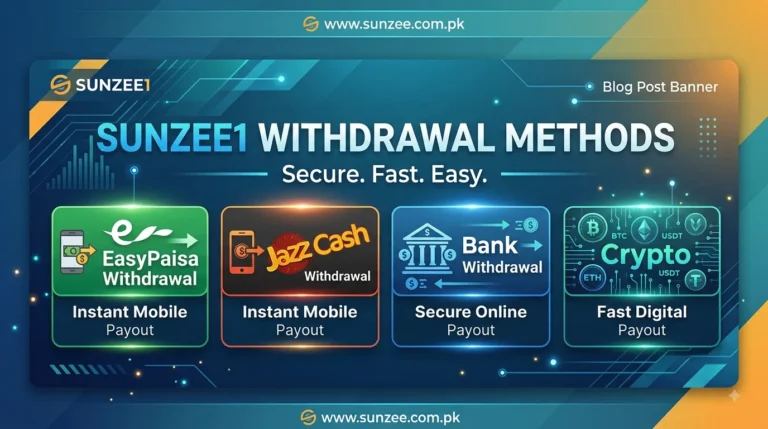
Making a deposit is one of the first steps for users who want to use Sunzee1. The platform provides different payment options so users can choose a method that is convenient for them. Based on the information reviewed from the Sunzee1 platform, the available deposit options include EasyPaisa, JazzCash, Bank Transfer, and Crypto.
This guide explains the Sunzee1 deposit methods in simple language, including how deposits work, what users should check before sending money, and what to do if a deposit does not appear in the account.
Important: Deposit methods, limits, payment details, and availability can change. Always check the current information shown on the official Sunzee1 platform before making a payment.
Sunzee1 Deposit Methods
Sunzee1 supports several deposit options for users. The main methods covered on this page are:
Each method can have different payment instructions. Users should select the payment option available inside their Sunzee1 account and follow the current instructions shown there.
Sunzee1 EasyPaisa Deposit
EasyPaisa is a commonly used mobile payment service in Pakistan. If EasyPaisa is available in your Sunzee1 account, you can use it to fund your account by following the payment instructions displayed on the deposit page.
How to Deposit Through EasyPaisa?
- Log in to your Sunzee1 account.
- Open the Deposit section.
- Select EasyPaisa from the available payment methods.
- Check the payment account or number shown by the platform.
- Enter the required deposit amount.
- Complete the payment through your EasyPaisa account.
- Keep the transaction information after completing the payment.
- If Sunzee1 asks for a transaction ID or payment reference, enter the correct details.
- Submit the deposit request.
- Check your Sunzee1 balance and transaction history.
Make sure the payment details match the information shown inside your Sunzee1 account before sending money.
Sunzee1 JazzCash Deposit
JazzCash is another local payment option that may be available for Sunzee1 users in Pakistan. The process is similar to other mobile-wallet deposits, but users should always follow the exact instructions displayed by Sunzee1.
How to Deposit Through JazzCash?
- Sign in to your Sunzee1 account.
- Go to the Deposit page.
- Select JazzCash.
- Check the payment details provided on the screen.
- Enter the amount you want to deposit.
- Complete the payment through your JazzCash account.
- Save the transaction receipt or reference information.
- Enter the required transaction details in Sunzee1 if requested.
- Submit the deposit.
- Check your account balance after the payment is processed.
Do not send money to an old or unverified payment number. Always use the payment information currently displayed in your Sunzee1 account.
Sunzee1 Bank Transfer Deposit
Users who prefer traditional banking can use the Bank Transfer option when it is available in their account.
Bank transfer instructions can include details such as the receiving bank, account name, account number, or other payment information. These details should be taken directly from the Sunzee1 deposit page.
How to Deposit Through Bank Transfer?
- Log in to Sunzee1.
- Open Deposit.
- Select Bank Transfer.
- Read the bank details shown on the platform.
- Open your banking app or use your bank’s available transfer method.
- Enter the correct receiving account details.
- Enter the deposit amount.
- Complete the transfer.
- Save the transaction receipt or reference number.
- Return to Sunzee1 and provide the required transaction information if requested.
- Check your balance and deposit history.
Before confirming a bank transfer, carefully check the account number, account name, amount, and other payment details.
Sunzee1 Crypto Deposit
Sunzee1 also lists Crypto as a deposit option. Crypto payments work differently from EasyPaisa, JazzCash, and bank transfers because the payment is made through a cryptocurrency wallet.
How to Deposit Through Crypto?
- Log in to your Sunzee1 account.
- Open the Deposit section.
- Select Crypto if it is available.
- Choose the cryptocurrency or network shown by the platform.
- Copy the correct wallet address.
- Open your crypto wallet or exchange.
- Enter the wallet address exactly as shown.
- Check that the selected network matches the network provided by Sunzee1.
- Enter the required amount.
- Confirm the transaction.
- Keep the transaction hash or blockchain reference.
- Wait for the platform to process the payment.
Always double-check the wallet address and network before confirming a crypto transaction. Sending cryptocurrency to the wrong address or using the wrong network can result in a permanent loss of funds.
What Information Should You Check Before a Sunzee1 Deposit?
Before making any deposit, take a few seconds to check the payment information.
Look at:
- Payment method
- Receiving account or wallet details
- Deposit amount
- Minimum and maximum limits
- Transaction or reference requirements
- Applicable fees, if any
- Current deposit instructions
- Account balance after payment
The most important rule is simple: use the payment details currently shown inside your Sunzee1 account.
What If My Sunzee1 Deposit Is Not Showing?
Sometimes a completed payment may not immediately appear in the account balance. If this happens, do not send another payment immediately.
First:
- Check whether the payment was successfully completed.
- Check your EasyPaisa, JazzCash, bank, or crypto wallet transaction history.
- Confirm that the amount was correct.
- Check the transaction ID, reference number, or blockchain transaction hash.
- Check your Sunzee1 deposit history.
- Wait for the platform’s stated processing period.
- Contact Sunzee1 support if the deposit remains missing.
- Keep your payment receipt ready when contacting support.
Providing the correct transaction information can make it easier for support to check a missing deposit.
Sunzee1 Deposit Safety Tips
A few simple checks can help avoid payment mistakes:
- Always log in through the official Sunzee1 website.
- Use only the payment details shown on the current deposit page.
- Check the recipient details before confirming payment.
- Keep your payment receipt.
- Never share your account password or OTP with another person.
- Do not send money to payment details received from unknown social-media accounts.
- For crypto payments, verify both the wallet address and network.
- Check the latest deposit limits before making a large payment.
- Contact official support if a payment is completed but the balance is not updated.
Frequently Asked Questions
What deposit methods does Sunzee1 support?
The Sunzee1 deposit options covered in this guide are EasyPaisa, JazzCash, Bank Transfer, and Crypto. Availability can depend on the current platform interface and account.
Can I deposit through EasyPaisa?
Yes, EasyPaisa is listed as a Sunzee1 payment method. Select EasyPaisa from the Deposit section and follow the current payment instructions displayed on the platform.
Does Sunzee1 accept JazzCash?
JazzCash is listed among the available Sunzee1 deposit methods. Users should check their account to see the current JazzCash payment details.
Can I use a bank transfer?
Yes, Bank Transfer is listed as a deposit option. Users should use the bank details currently provided inside the Sunzee1 Deposit section.
Does Sunzee1 support crypto deposits?
The platform information reviewed for this guide includes Crypto as a deposit option. Because cryptocurrency payments can depend on the selected coin and network, users should carefully follow the current instructions shown on the platform.
What should I do if my deposit is not credited?
First, check your payment history and save the transaction reference. Then check your Sunzee1 deposit history. If the payment was completed but the balance has not been updated after the relevant processing period, contact official Sunzee1 support with the transaction details.
Final Thoughts
Sunzee1 provides several deposit options, including EasyPaisa, JazzCash, Bank Transfer, and Crypto, giving users different ways to fund their accounts. Local payment methods can be useful for Pakistani users, while bank transfer and crypto provide additional options where available.
The safest approach is to open the Deposit section of your Sunzee1 account, select your preferred payment method, and follow the current instructions shown there. Always verify payment details before sending money and keep your transaction receipt until the deposit appears in your account.
For any deposit limit, payment detail, processing time, or method that is not clearly shown, check the current official Sunzee1 platform or contact its support team rather than relying on older instructions.